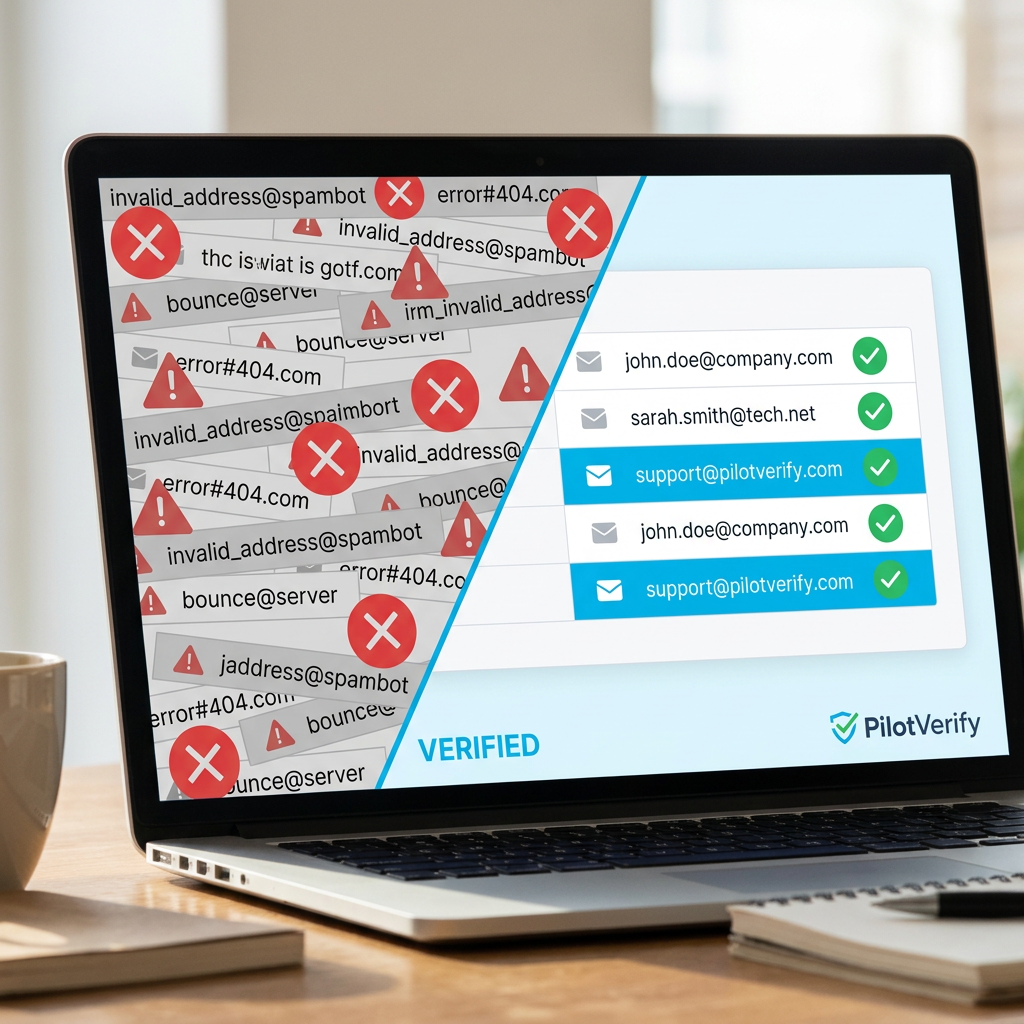
Top 7 Email Validation API Features You Should Be Looking For
Not all email validation APIs are built the same. Here are the 7 features that actually separate a production-ready email validation API from one that creates more problems than it solves.
Email validation APIs are not all built the same way — and the differences between them are not obvious from a features comparison table or a marketing page. Two APIs can both claim "SMTP verification," "disposable email detection," and "99% accuracy" while delivering very different results in production, handling edge cases completely differently, and failing in completely different ways under load or adversarial inputs.
The features that actually matter for a production email program are specific, technical, and rarely the ones vendors lead with in their pitch. This guide identifies the seven features that separate an email validation API worth integrating from one that will create as many problems as it solves — and explains why each one matters in practice, not just in theory.
7 features that define a production-ready email validation API — most vendors claim all of them, but the implementation quality varies dramatically between providers
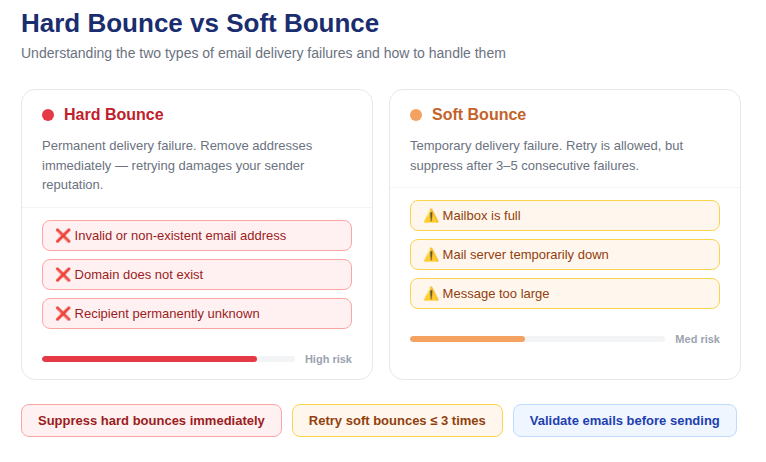
📷 Email validation API feature evaluation framework — what to test before you commit to a provider
Feature 1: Multi-Layer Verification (Not Just Syntax)
The single most important thing to verify about any email validation API is whether it actually performs all the necessary verification layers — or whether it stops at syntax and calls it "validation."
A complete multi-layer verification stack includes five distinct checks, and each one catches a different class of invalid address that the others cannot:
· Syntax validation — format compliance per RFC 5322. Table stakes. Every API does this.
· MX/DNS lookup — confirms the domain has active mail exchange records. Most APIs do this.
· Disposable email detection — cross-references against a database of throwaway providers. Good APIs do this. Check how frequently the database is updated — a stale list misses new disposable services.
· SMTP mailbox verification — directly probes the mail server to confirm the specific mailbox exists. This is the most valuable check and the one that varies most dramatically in implementation quality between providers.
· Catch-all detection — identifies domains configured to accept all addresses regardless of mailbox existence. Often omitted or poorly implemented by cheaper providers.
How to test this before committing: run a list of known-invalid addresses (addresses that have previously hard-bounced) through the API and check what percentage it correctly identifies as invalid. If it's misclassifying known-invalid addresses as valid, the SMTP verification layer is either absent or poorly implemented.
PilotVerify implements all five layers and returns a boolean field for each one in the response — syntaxValid, mxRecordExists, isDisposable, isCatchAll, and smtpValid — so you can see exactly which checks passed and failed for each address, not just the aggregate result.
Feature 2: SMTP Verification Quality and Accuracy
SMTP verification is the differentiating feature between email validation APIs, and it deserves its own section beyond just "does it exist."
The technical challenge of SMTP verification is that it requires your infrastructure to have good sending IP reputation in order to get honest responses from receiving mail servers. A mail server that receives a verification probe from an IP with poor reputation will return inaccurate responses — either rejecting valid addresses (false negatives) or accepting everything to avoid revealing mailbox existence (effectively catch-all behavior imposed by the server rather than the domain configuration).
This means that an email validation API's SMTP accuracy is directly tied to the quality of its sending infrastructure — how well it maintains IP reputation, how effectively it rotates IPs to avoid being fingerprinted, and how intelligently it handles greylisting, SMTP rate limiting, and connection management.
What to look for:
· Published accuracy figures with methodology (not just a headline percentage)
· Consistency: run the same known-invalid address multiple times and confirm it returns the same result. Inconsistent results indicate poor SMTP implementation.
· Correct handling of null vs false for smtpValid — null should indicate the check was skipped, not that verification failed.
PilotVerify achieves 99.6% accuracy across the full verification stack, with SMTP verification maintained by infrastructure designed specifically for high-reliability mailbox probing.
Feature 3: The skipSMTP Parameter for Flexible Verification Depth
A production-ready email validation API should give you control over verification depth — specifically, the ability to skip SMTP verification when speed is more important than maximum accuracy.
Why this matters: real-time form validation has different requirements than pre-campaign list cleaning. For list cleaning, you want the most accurate result possible — SMTP verification always. For progressive form validation (showing the user a hint while they're still typing their email address), you want a fast response that doesn't block the UI — SMTP can be skipped for the inline hint, then re-run on final submission.
An API without a skipSMTP option forces you to choose between maximum accuracy everywhere or a slower-than-ideal UX at point-of-capture. An API with this parameter lets you optimize each use case independently.
PilotVerify implements this as skipSMTP: true/false in the request body. When set to true, the response returns faster and smtpValid is null (not false — the check was skipped, not failed). When set to false or omitted, full SMTP verification runs.
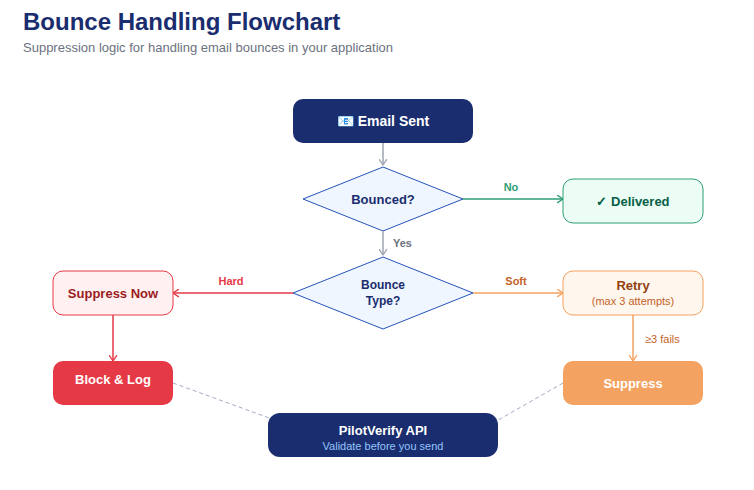
📷 Verification depth decision tree: when to use skipSMTP true vs false based on use case requirements
Feature 4: Granular Response Schema With Boolean Fields Per Check
An email validation API that returns only a pass/fail status is significantly less useful than one that returns a boolean result for each verification layer individually. This is not a cosmetic difference — it has direct implications for your application logic.
Consider the difference between these two response designs:
Minimal response (unhelpful):
{
  "valid": false
}
Granular response (production-ready):
{
  "success": true,
  "result": {
    "email": "user@example.com",
    "status": "RISKY",
    "syntaxValid": true,
    "isDisposable": true,
    "mxRecordExists": true,
    "isCatchAll": false,
    "smtpValid": true,
    "reason": "Disposable email provider"
  },
  "creditsRemaining": 247
}
The minimal response tells you the address is invalid. The granular response tells you it's technically deliverable (SMTP valid, MX exists) but it's a disposable provider — which means your application logic should handle it differently than an address that failed because the mailbox doesn't exist.
Practical application of each field:
· syntaxValid: false → Show "please check your email format" error
· mxRecordExists: false → Show "this domain doesn't accept email — check your domain spelling" error
· isDisposable: true → Show "disposable email addresses are not accepted" or flag silently depending on your policy
· isCatchAll: true → Accept but flag for suppression from high-stakes campaigns
· smtpValid: false → Show "this email address doesn't appear to exist" error
· creditsRemaining → Monitor for low-credit alerts in your system
A single status field forces you to give every failure the same generic error message and apply the same business logic to every invalid address. Granular boolean fields let you handle each failure class precisely.
Feature 5: A Native Batch Endpoint
An email validation API that only supports single-address verification per request creates unnecessary complexity for any use case involving more than a handful of addresses. Without a native batch endpoint, you're managing your own concurrency, rate limiting, retry logic, and result aggregation across thousands of individual API calls.
A well-designed batch endpoint accepts an array of email addresses in a single request and returns an array of results — one result object per input address — in a single response. This handles the common case of validating a list during an import, running pre-campaign cleaning via the API, or processing a batch job without building infrastructure around single-address calls.
What to check in the batch endpoint documentation:
· Maximum addresses per request — PilotVerify supports up to 1,000 emails per batch request
· Credit consumption model — should be 1 credit per email, not 1 credit per batch request (otherwise batch is priced worse than single)
· Consistent response schema — each result object in the batch response should have the same fields as a single-address response
· Error handling per address — if one address in the batch fails, the endpoint should return results for the rest rather than failing the entire batch
PilotVerify's batch endpoint (POST /api/validate/batch) supports all of the above, with 1 credit per email validated and the same granular response schema for each address in the results array.
Feature 6: Sub-100ms Response Time for Real-Time Use Cases
Response latency is a feature — not a performance footnote. For real-time inline form validation, the API call needs to complete before the user experience degrades. The practical threshold is 100ms for the full verification chain including SMTP. Above 100ms, you risk visible form delays that hurt conversion rates.
This threshold is harder to hit than it sounds. SMTP verification requires actual server-to-server connections, which introduces network latency. Achieving sub-100ms while running a full SMTP probe requires infrastructure optimization — regional endpoint routing, connection pooling, cached DNS results — that cheap providers often skip.
How to test latency properly:
· Test from your own infrastructure, not from the provider's test console (which is typically collocated with their servers)
· Test with full SMTP verification enabled, not with skipSMTP: true (which is trivially fast but less accurate)
· Test with addresses across multiple domains — some domains will be faster than others, so test a representative sample
· Test under load — latency at 1 request/second is very different from latency at 100 requests/second
PilotVerify returns single-address validation results in under 100ms under standard conditions, making it viable for real-time inline validation without UX degradation.
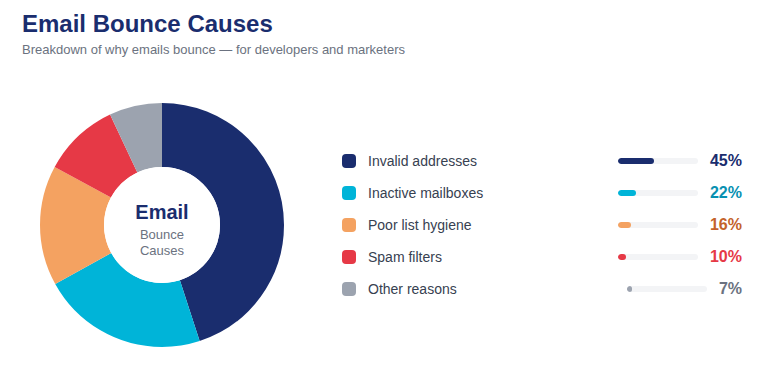
📷 API latency comparison: response time breakdown across verification layers — syntax, MX, disposable, SMTP, catch-all
Feature 7: Data Privacy and Transparent Retention Policy
Email addresses are PII. Any email validation API that handles your subscribers' email addresses is a data processor under GDPR, CCPA, and similar regulations — and the provider's data handling practices become your responsibility to understand and account for.
The minimum privacy features a production-ready email validation API must have:
· Encryption at rest — all email addresses and validation results stored in encrypted form
· Defined retention period — email addresses should be automatically purged after a defined period, not stored indefinitely. PilotVerify auto-purges email addresses after 90 days.
· No data resale — the provider should explicitly commit to not selling or sharing email addresses with third parties. This is non-negotiable. Some cheaper providers subsidize their pricing by monetizing the address data they process — a serious privacy and legal risk for you.
· Data Processing Agreement availability — for EU data processing under GDPR, a DPA should be available. Ask for it before integrating if you process EU subscriber data.
Data privacy is not just a compliance checkbox — it's a vendor evaluation criterion that directly affects your own compliance posture. Integrating a provider with poor data handling practices creates liability that extends to your business.
Bonus: Features That Are Nice to Have (But Not Dealbreakers)
Beyond the seven core features, these additional capabilities are worth considering depending on your use case:
Role-Based Address Detection
Identifying addresses like info@, admin@, and noreply@ that belong to organizational functions rather than individuals. Useful for marketing-specific list segmentation, where role-based addresses generate disproportionate complaint rates. PilotVerify flags these as part of the verification result.
Unicode Domain Support
Support for internationalized email addresses with non-Latin-script domains — increasingly important for global products serving markets in Asia, the Middle East, and other regions where Unicode domains are common. Check explicitly whether the API handles these correctly rather than assuming.
CSV Bulk Upload Dashboard
For non-technical team members who need to clean a list without API integration — marketers running pre-campaign audits, for instance — a dashboard-based CSV upload with downloadable results is a significant usability advantage. PilotVerify includes this alongside the API, making the same verification stack accessible to both developers and non-technical users.
Credit Usage Transparency in Every Response
The creditsRemaining field in every API response means you never need a separate call to check your balance. This makes programmatic credit monitoring straightforward — just read the field in your existing response handling and trigger an alert when it drops below your threshold.
The Feature Evaluation Checklist
Use this checklist when evaluating any email validation API before integration:
· ✅ Performs all 5 verification layers (syntax, MX, disposable, SMTP, catch-all)
· ✅ SMTP verification is accurate and consistent — test with known-invalid addresses
· ✅ Supports skipSMTP parameter for flexible verification depth
· ✅ Returns granular boolean fields per verification layer, not just a status
· ✅ Has a native batch endpoint supporting 1,000+ addresses per request
· ✅ Achieves sub-100ms response time under real-world conditions (test from your infrastructure)
· ✅ Encrypts data at rest, auto-purges addresses after a defined period, does not resell data
· ✅ Pay-as-you-go pricing with non-expiring credits (no subscription lock-in)
· ✅ Clear error handling for authentication failures and insufficient credits
· ✅ Comprehensive documentation with real request/response examples
Frequently Asked Questions (FAQ)
Q: How do I test an email validation API's accuracy before committing?
A: Build a test set of known-valid addresses (recently confirmed via successful send) and known-invalid addresses (hard bounces from your last campaign). Run both through the API and measure how many of each category it correctly classifies. An accuracy rate below 95% on your test set is a red flag.
Q: Should I choose an email validation API based on price alone?
A: Price per 1,000 verifications is relevant, but don't optimize for it in isolation. A cheaper API that misclassifies 5% of addresses as valid will generate bounces on 5% of your sends — the bounce rate damage to your sender reputation costs far more than the price difference between providers. Accuracy and feature completeness should be weighted more heavily than unit price.
Q: How do I know if an API's disposable email database is up to date?
A: Ask the provider directly how frequently their disposable email database is updated. New disposable services launch constantly — a database that hasn't been updated in months will miss many current providers. Alternatively, test with addresses from disposable services that launched recently and see if the API flags them correctly.
Q: What should happen if the API is down or times out?
A: Your integration should implement a timeout (250–500ms is a reasonable ceiling for a real-time validation call) and a fallback behavior. For most use cases, failing open (allowing the submission to proceed and flagging for later re-validation) is the right default — blocking users because of a third-party API outage creates a worse user experience than letting a small number of invalid addresses through during an outage window.
Q: Is it worth paying for a more expensive API if it has better SMTP accuracy?
A: Almost always yes. The cost of SMTP false negatives — invalid addresses classified as valid that later bounce — is borne by your sender reputation, not your API bill. A 1% SMTP accuracy difference at 100,000 validations per month means 1,000 additional invalid addresses passing through your validation layer and later generating hard bounces. The reputation cost of those bounces far exceeds the price difference between API tiers.
The Right API Is the One That Works in Production
The features that matter for an email validation API are not the ones most prominently featured on a comparison table. They're the implementation details: SMTP accuracy under real conditions, response latency from your actual infrastructure, granular response schema that enables precise application logic, and data handling practices that keep your compliance posture clean.
PilotVerify is built to meet every criterion in this guide: all five verification layers, 99.6% accuracy, sub-100ms response times, granular boolean fields per check, a native batch endpoint for 1,000 addresses per request, skipSMTP flexibility, 90-day data purge, and no data resale — ever.
Full documentation at docs.pilotverify.net.
Try PilotVerify Free — Start with the right API from day one at pilotverify.net